# Login

{% hint style="info" %}
**크리덴셜 스터핑 공격 대응**

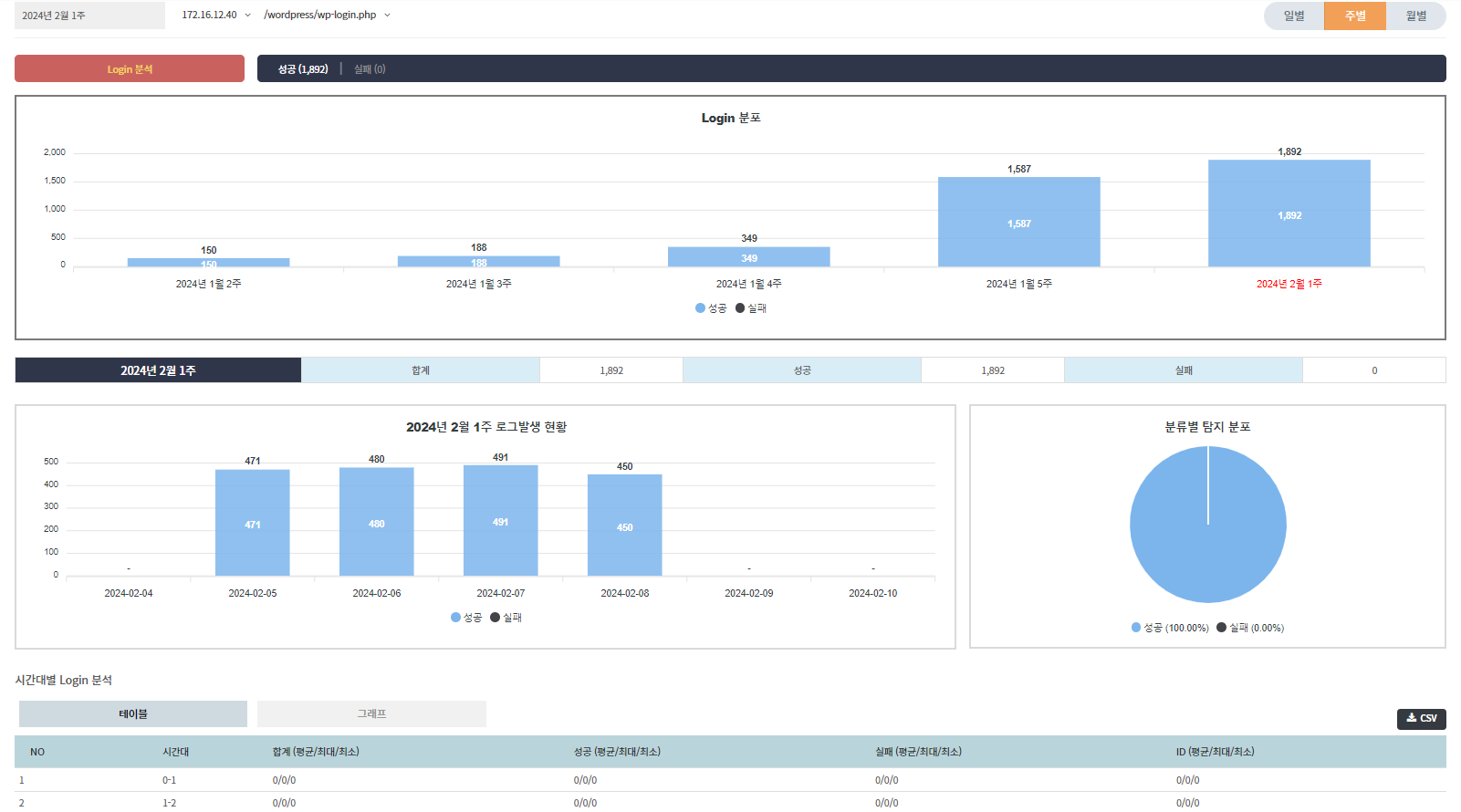
* **로그인 성공 및 실패 정보**를 확인하는 것은 크리덴셜 스터핑 공격 대응에 필수적입니다.
* 로그인 성공 및 실패 로그를 기반으로 **가시성**을 제공합니다.
* **요청 헤더**에서 IP 주소, 쿠키, 브라우저, 레퍼러 정보를 참조할 수 있습니다.
* **요청 본문**에서 사용자 아이디를 추출합니다.
* **응답 헤더**에서 상태값을 참조하여 상태를 확인할 수 있습니다.
* **Host**와 **Path** 정보를 통해 더 상세한 로그를 확인할 수 있습니다.
* **테이블**과 **그래프** 형식으로 데이터를 선택하여 볼 수 있습니다.
  {% endhint %}

### 통계 항목 <a href="#id-1" id="id-1"></a>

* 일일 통계&#x20;

<figure><img src="https://3912928640-files.gitbook.io/~/files/v0/b/gitbook-x-prod.appspot.com/o/spaces%2FbL8mhGEJFL6ccTwojZ6f%2Fuploads%2FmRiiN21jkzun1SBlikux%2F107.png?alt=media&#x26;token=9a076be1-96f9-4775-be8e-d37bbf7dde32" alt=""><figcaption></figcaption></figure>

* 주별 통계

<figure><img src="https://3912928640-files.gitbook.io/~/files/v0/b/gitbook-x-prod.appspot.com/o/spaces%2FbL8mhGEJFL6ccTwojZ6f%2Fuploads%2FXNeIFR2RciLEaA284BDb%2F108.png?alt=media&#x26;token=f43892a1-6bad-4770-86c2-f57a63c6dee5" alt=""><figcaption></figcaption></figure>

* 월별 통계

<figure><img src="https://3912928640-files.gitbook.io/~/files/v0/b/gitbook-x-prod.appspot.com/o/spaces%2FbL8mhGEJFL6ccTwojZ6f%2Fuploads%2FuHJ3SCeraKoAokkJlxl1%2F109.png?alt=media&#x26;token=809b7d79-50c8-4e85-8e70-213961847882" alt=""><figcaption></figcaption></figure>

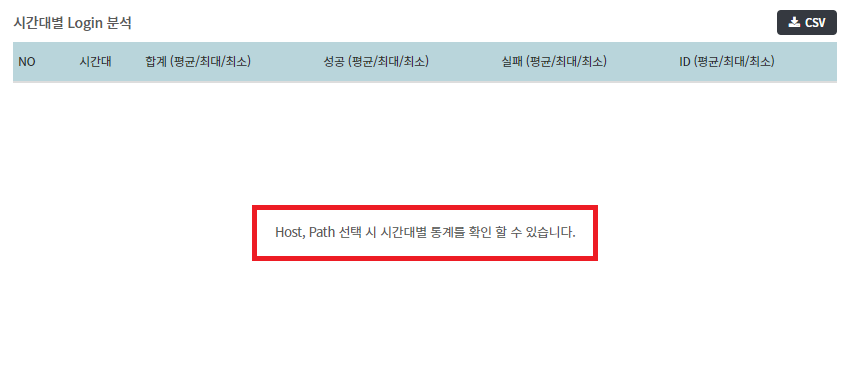
* 통계 > 로그인 페이지 상단에서 **Host**와 **Path**가 선택되지 않은 경우, 시간대별 로그인 분석이 노출되지 않습니다.

<figure><img src="https://qubitsec.github.io/docs/images/Manual/common/statistics/login/4.png" alt=""><figcaption></figcaption></figure>

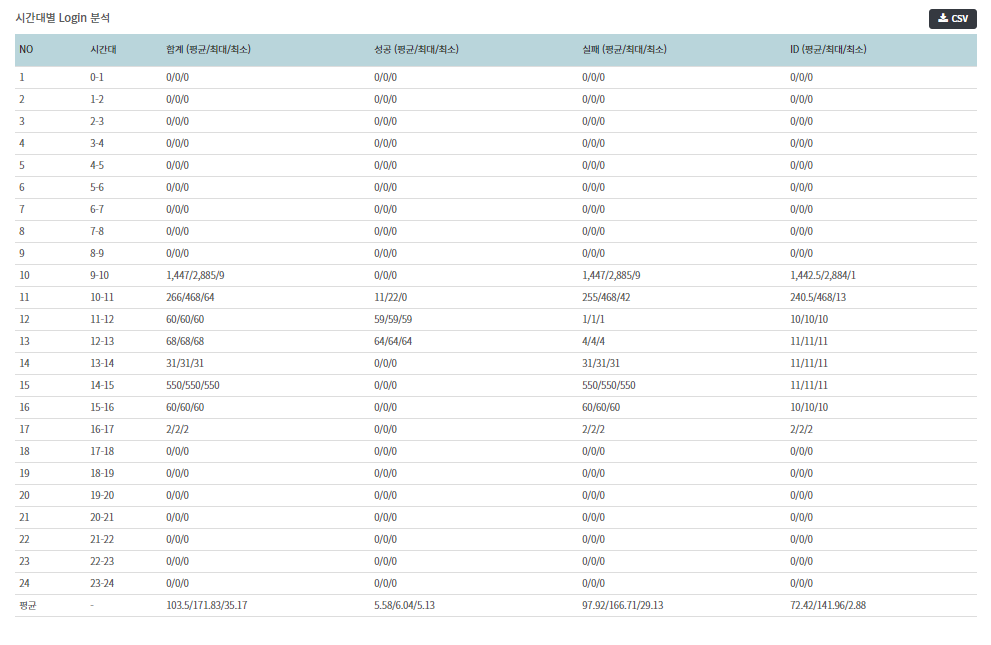
* **Host**와 **Path**를 선택하면 시간대별 로그인 분석 통계가 표시됩니다.

<figure><img src="https://qubitsec.github.io/docs/images/Manual/common/statistics/login/5.png" alt=""><figcaption></figcaption></figure>