> For the complete documentation index, see [llms.txt](https://docs.plura.io/ko/llms.txt). Markdown versions of documentation pages are available by appending `.md` to page URLs; this page is available as [Markdown](https://docs.plura.io/ko/fn/comm/sfilter/breach.md).
# 데이터유출
Data Breach
{% hint style="info" %}
**기밀정보, 개인정보, 민감정보 유출 탐지**
* **웹 서버의 응답 본문을 분석하여 데이터 유출을 실시간으로 탐지하고 차단**
* **데이터 유출 탐지 확인**:
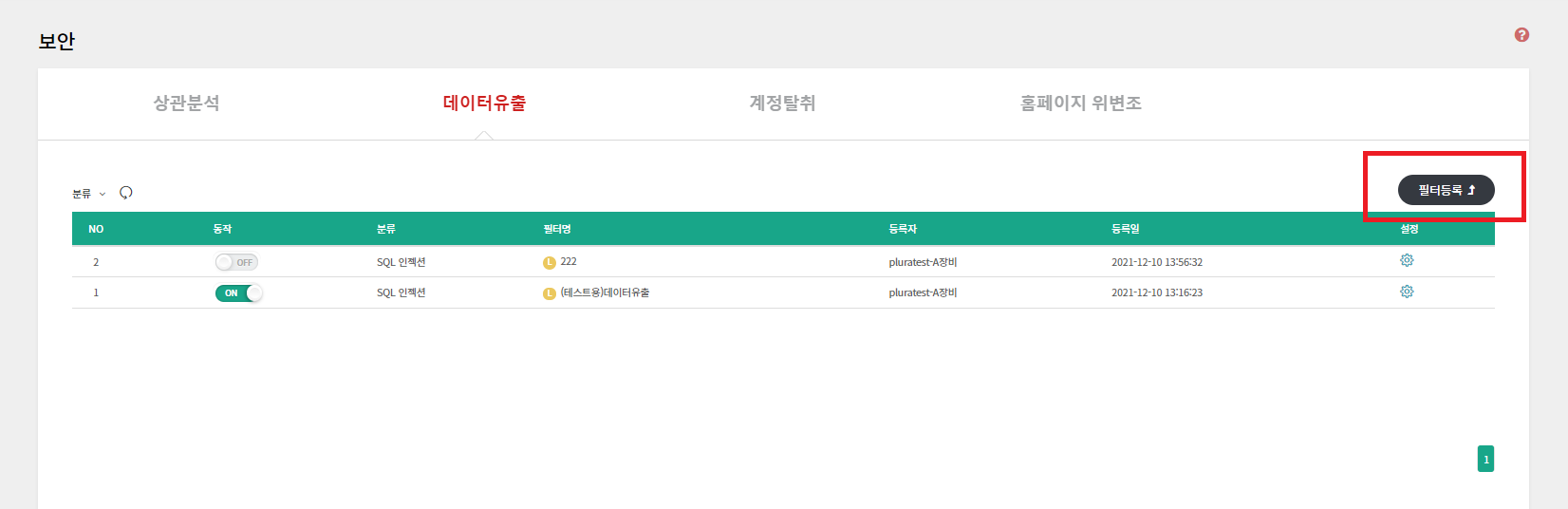
* **경로**: 보안탐지 > 데이터유출
* **필터**: 보안 > [데이터유출](https://docs.plura.io/ko/function/common/sdetection/breach)
{% endhint %}
### 1. 기본 정보 입력
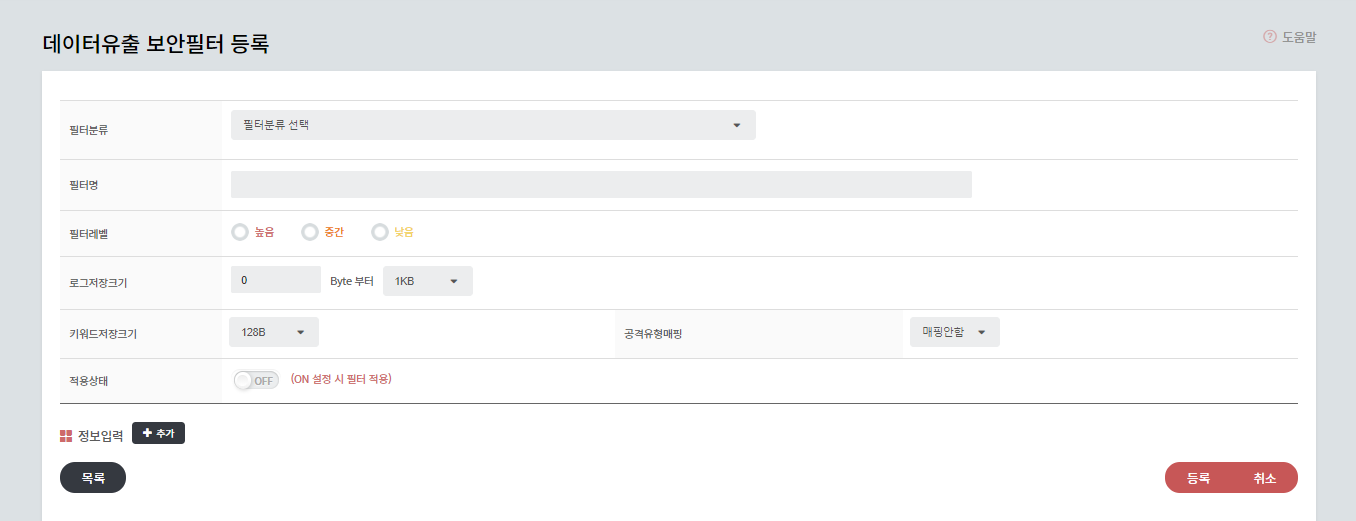
* **분류**:
* SQL 인젝션, 민감 데이터, 디렉토리 리스팅, Webshell, 기타
* **필터명**, **위험도**, **로그 저장 크기**, **키워드 저장 크기**, **공격 유형 매핑**, **동작**
* **로그 저장 크기**: 로그 저장 용량 설정
* **키워드 저장 크기**: 키워드 저장 용량 설정
* **공격 유형 매핑**: 웹 공격 유형 중 SQL 인젝션(SQLi)과 매핑하여 탐지 시, **필터탐지 > 웹**에 동시에 노출
### 2. 탐지 정보 입력
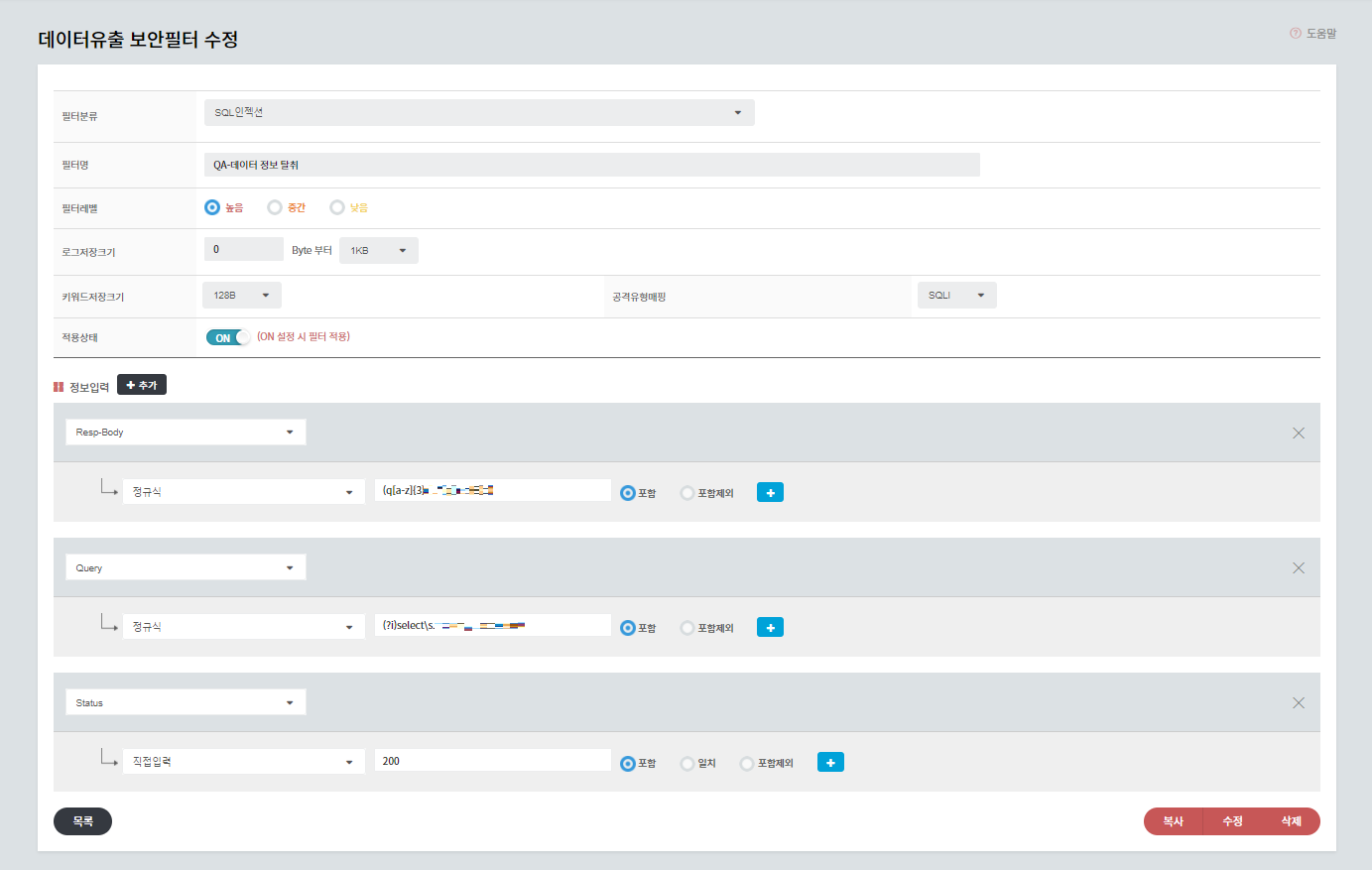
* **요소 선택**:
* 공격 IP 주소, 호스트(Host), 경로(Path), POST-Body, Query, 응답 본문(Resp-Body), 응답 크기(Resp-Size), 상태 코드(Status)
* **데이터 값 입력**:
* 정규식 지원