# 계정탈취 분석

{% hint style="info" %}
사용자 정의 필터를 통해 탐지된 로그를 바탕으로 가시성을 제공합니다.

* 그래프 변동 사항을 기반으로 이상 징후를 탐지합니다.
* 크리덴셜 스터핑 공격의 호스트, 공격자 정보, 시간대 분석을 통해 이상 징후를 조사하고 대응합니다.
* [필터 등록 방법](https://docs.plura.io/ko/function/common/sfilter/takeover)
  {% endhint %}

### 보고서 항목 <a href="#id-1" id="id-1"></a>

* 일별 보고서&#x20;

<figure><img src="/files/5wWLVLW1SmnOpNKWerLf" alt=""><figcaption></figcaption></figure>

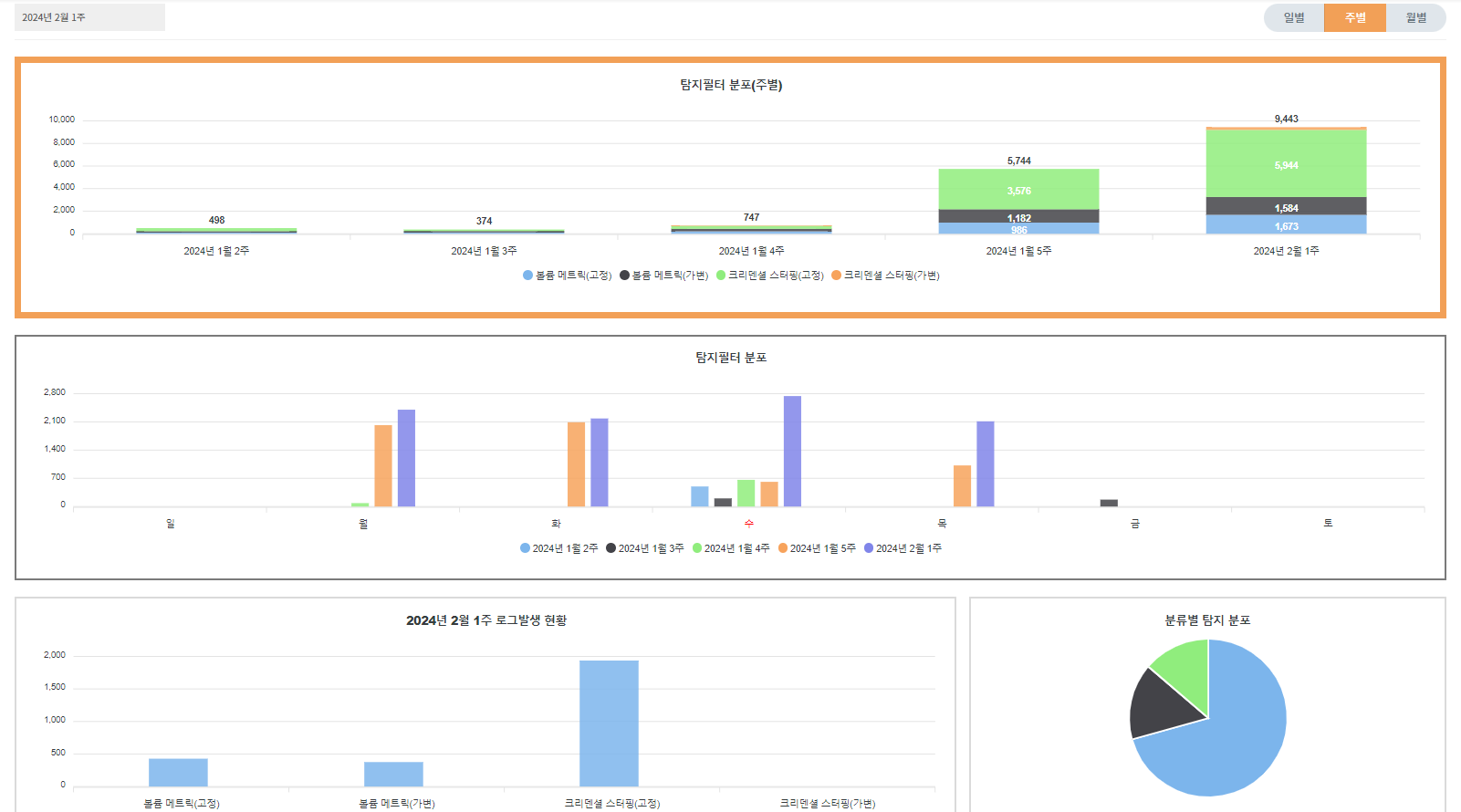
* 주별 보고서

<figure><img src="/files/W9wooZnm5Yr7UNlxsv7w" alt=""><figcaption></figcaption></figure>

* 월별 보고서

<figure><img src="/files/5EL5jT98HP7rT9asZbnC" alt=""><figcaption></figcaption></figure>


---

# Agent Instructions: Querying This Documentation

If you need additional information that is not directly available in this page, you can query the documentation dynamically by asking a question.

Perform an HTTP GET request on the current page URL with the `ask` query parameter:

```
GET https://docs.plura.io/ko/fn/comm/report/takeover.md?ask=<question>
```

The question should be specific, self-contained, and written in natural language.
The response will contain a direct answer to the question and relevant excerpts and sources from the documentation.

Use this mechanism when the answer is not explicitly present in the current page, you need clarification or additional context, or you want to retrieve related documentation sections.