> For the complete documentation index, see [llms.txt](https://docs.plura.io/ko/llms.txt). Markdown versions of documentation pages are available by appending `.md` to page URLs; this page is available as [Markdown](https://docs.plura.io/ko/fn/comm/filter/audit.md).
# Audit
{% hint style="info" %}
**호스트 보안 Auditlog 필터 등록 시 필요한 주요 정보**
* **운영체제 그룹**: Linux, Unix
* **운영체제**: 하위 모든 OS
* **Audit 채널**, **이벤트 타입** 정보 제공
{% endhint %}
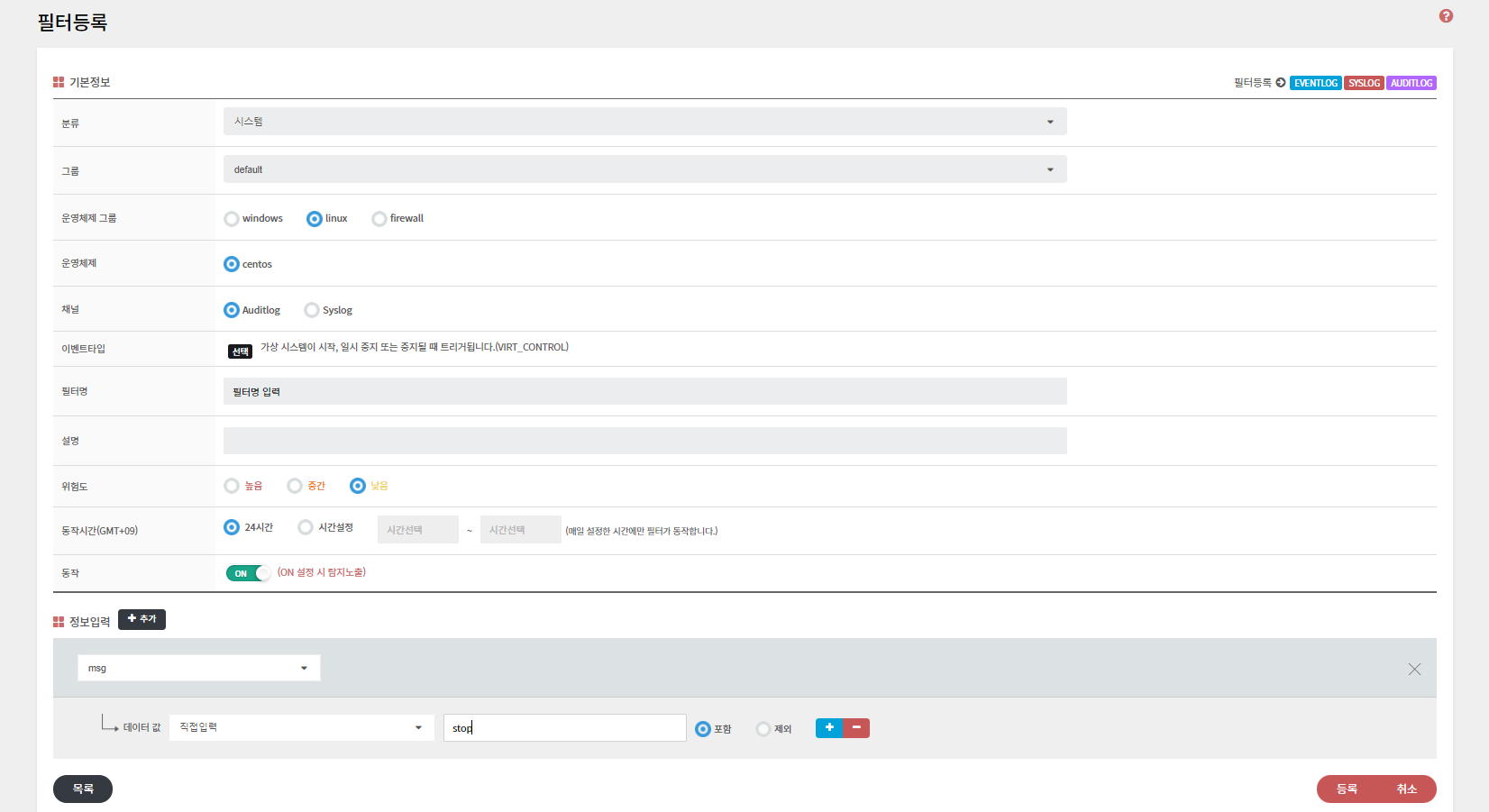
### 1. Audit 필터 등록
* 기본 정보
* **유형**, **분류**, **그룹** 선택
* **운영체제 그룹**: Linux, Unix
* **운영체제**: 모든 OS
* **채널**: Auditlog
* **필터명**, **설명**, **위험도**, **동작 시간**, **동작**
* 탐지 정보
* **요소:** 채널에 포함된 정보를 제공합니다.
* **데이터값:** 탐지에 필요한 데이터를 입력합니다.
* **조건: 포함**, **일치**, **포함 제외** 등의 조건을 설정할 수 있습니다.
### 2. 채널
* **채널**: Auditlog
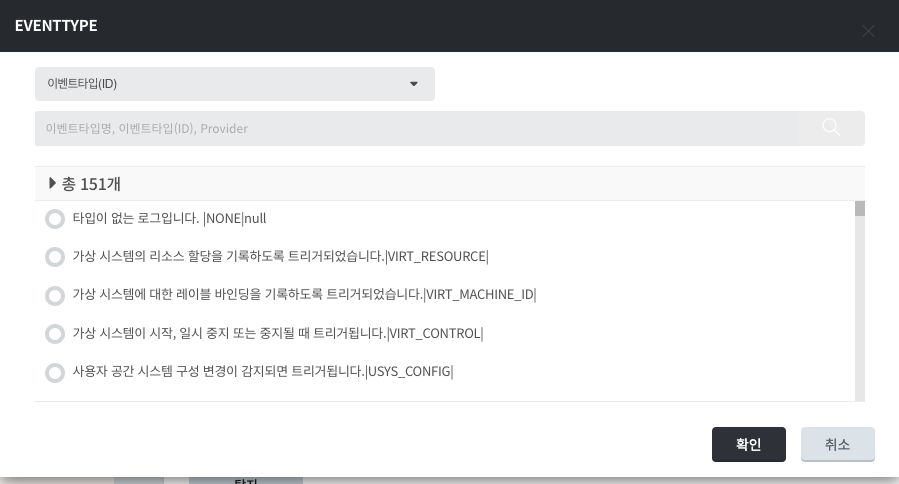
### 3. 이벤트 타입
* **이벤트 타입**(ID): 151개의 이벤트 타입 제공
* **구성**: 이벤트 타입명, 이벤트 타입(ID), Provider